-
-
1.
Introduction
2:28
-
2.
About The Class
4:28
-
3.
Illustrating The Background
5:21
-
4.
Illustrating The Bench
9:28
-
5.
Illustrating The Street Lamp
3:52
-
6.
Illustrating The Trees
4:19
-
7.
Illustrating The Background - Finish It Up
4:08
-
8.
Illustrating The Ghost
8:04
-
9.
Illustrating The Skateboard
8:18
-
10.
Intro to Procreate Dreams
11:10
-
11.
Animating The Skateboard
13:21
-
12.
Animating The Ghost
7:21
-
13.
Animating The Lightbugs
14:26
-
14.
Animating The Leaves
10:11
-
15.
Export Your Animation
4:31
-
16.
Final Thoughts
1:08
-
Animate Your Illustrations - Procreate Dreams 2 For Beginners
The Artmother, Professional Art Teacher and Artist
Project Instructions
In this class project, you’ll create a fun animation of a ghost skating through a park! Using Procreate Dreams 2, you’ll bring your illustrated ghost to life by animating its smooth glide across the scene. This project is all about using simple animation techniques to add motion and character to your illustrations.

Project Steps:
- Illustrating the Scene: Start by designing the park background, the ghost character and the skateboard. Feel free to get creative! Add your personal touch to all elements!
! All elements needed for the animation are available in the resources, so if you'd prefer to jump right into animation, use them to create your animation!
- Get comfy in Procreate Dreams 2: Explore the features of Procreate Dreams 2, import the elements you created!
- Animate: Animate the skateboard, the ghost, the light bugs and the falling leaves.
- Export: Share your creation with the world! Share it as a REEL on IG and tag me as @theartmother .
Class Resources:
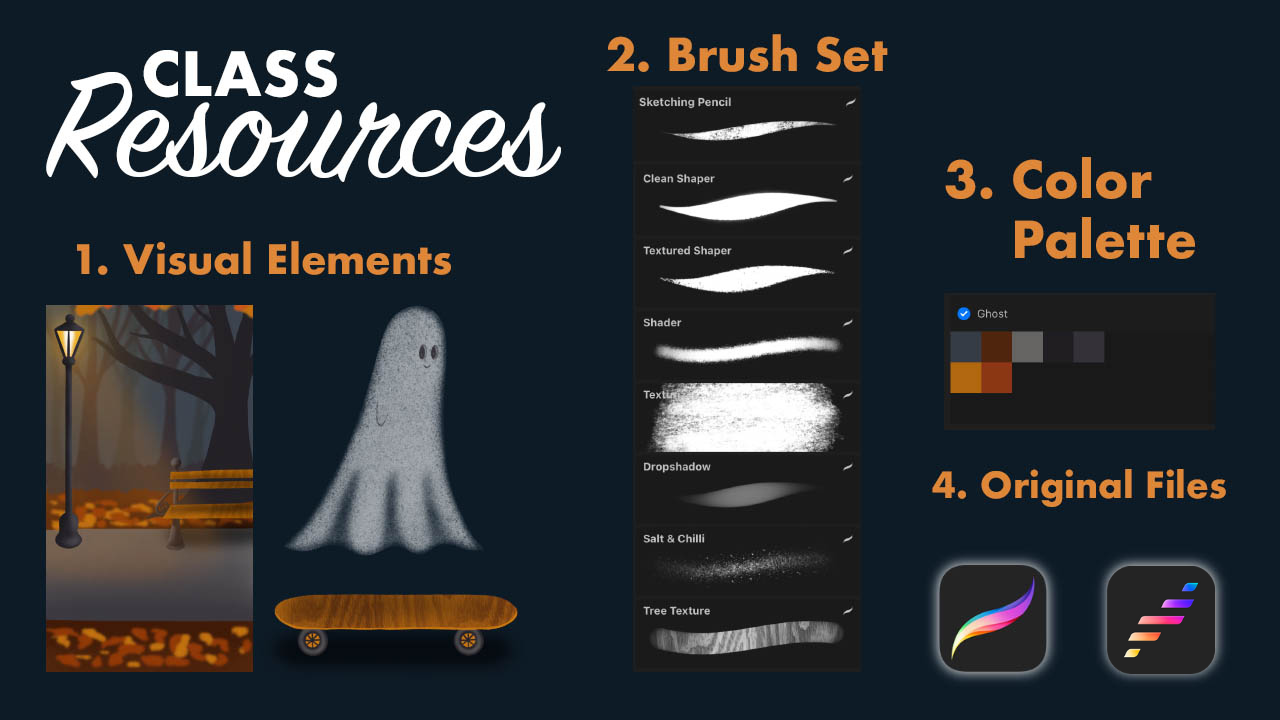
Download the original Procreate and Procreate Dreams 2 files for a smooth process!
Upload your class project to the project gallery!
I am so much looking forward to see what you create!
Happy Creating!
Project Instructions
In this class project, you’ll create a fun animation of a ghost skating through a park! Using Procreate Dreams 2, you’ll bring your illustrated ghost to life by animating its smooth glide across the scene. This project is all about using simple animation techniques to add motion and character to your illustrations.
Project Steps:
- Illustrating the Scene: Start by designing the park background, the ghost character and the skateboard. Feel free to get creative! Add your personal touch to all elements!
! All elements needed for the animation are available in the resources, so if you'd prefer to jump right into animation, use them to create your animation!
- Get comfy in Procreate Dreams 2: Explore the features of Procreate Dreams 2, import the elements you created!
- Animate: Animate the skateboard, the ghost, the light bugs and the falling leaves.
- Export: Share your creation with the world! Share it as a REEL on IG and tag me as @theartmother .
Class Resources:
Download the original Procreate and Procreate Dreams 2 files for a smooth process!
Upload your class project to the project gallery!
I am so much looking forward to see what you create!
Happy Creating!