-
-
1.
Introduction
2:15
-
2.
Class Project
1:33
-
3.
Tools and Art Materials
2:39
-
4.
Knowing the Purpose of Your Artwork
2:55
-
5.
Creating a Mood Board
4:10
-
6.
Storytelling: Hero and Filler Elements
1:52
-
7.
Composition Scale and Balance
2:17
-
8.
Sketching: Simplifying the Process
9:33
-
9.
Transferring the Sketch to the Paper
2:17
-
10.
Gouache 101: Vibrancy and Consistency
4:30
-
11.
Limited Palette: Mixing and Swatching
1:58
-
12.
Color Plan - Color Blocking
6:00
-
13.
Adding Shading and Shadows - Layering
3:24
-
14.
Final Details and Textures
4:57
-
15.
Taking a Break, Revisit the Piece
1:17
-
16.
Finalising for Product Design
2:45
-
17.
Conclusion
1:37
-
Surface Design for Illustrators: From Paint to Product Using Gouache & Procreate
Bindiya Shetty, Engineer-turned-Illustrator
About This Class
Have you always wondered how working artists go about designing and getting their art on products?
In this class you will learn how to illustrate product design that tells a story! We will cover my go-to work flow from ideation to finalisation my art work for products. At the core of my process is a composition. A good composition tells a story through how you choose your subjects, arrange your elements and pic your colors.
Throughout the class, we will cover –
- designing with purpose, keeping the final product in mind
- picking the theme and elements for your artwork, gathering inspiration and creating a mood board
- creating balanced compositions, considering the dynamic between your hero and supporting elements
- sketching by simplifying the elements
- choosing a limited palette that clearly conveys the mood and theme of your artwork,
- adding depth and details to your work by building up layers with gouache.
- digitising and preparing the files for products in photoshop and procreate
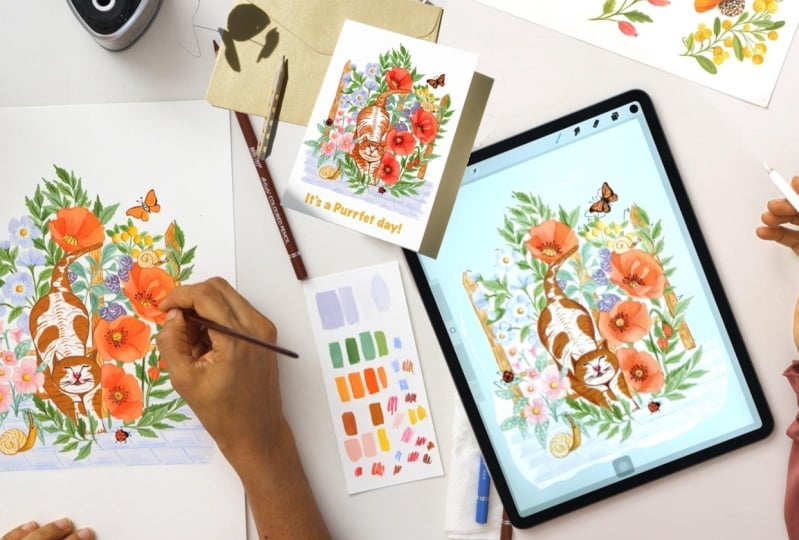
For the class project you will create illustration for a product. I will designing for greeting card or a T—shirt and I will be using gouache for painting and software photoshop and procreate for finalising my design. Whichever medium you use you will be able to flow the process and create your own composition.
This class is designed for those who are curious to learn about product design but don’t know where to start. I have shared my best tips from working as a professional surface designer for last 5 years and also mistakes so that you don’t have to make them too. If you find the blank page intimidating, this class will provide you with the workflow you need so that you can start creating with a purpose. It’s also perfect for anyone who wants to learn and have fun using gouache and create a personal present like a postcard for a loved one!
With this process you can illustrate for any surface you can think of like stationery, fabric, wallpapers, bags, fashion accessories etc.
Let’s get started! Super excited to begin with you all!
Class Projects Show All (5)
Please note that this class is provided for personal educational, informational and convenience purposes only, is general in nature and is not intended as a substitute for professional, legal, or medical advice. Read more about this in our Terms of Service.