-
-
1.
Intro
2:14
-
2.
About The Class
2:07
-
3.
Basic Vector Facts
2:00
-
4.
What Gives Away a Vector Graphic
2:06
-
5.
Round Corner
2:26
-
6.
Round Stroke Caps Imperfect Circles
1:51
-
7.
Freehand Drawing Instead of Shape Tool
2:36
-
8.
Asymetry
1:17
-
9.
Uneven Spacing Distribution
2:49
-
10.
Distortion with Liquify Tool
2:35
-
11.
Color Variation & Decorative Details
1:20
-
12.
Built in Vector Effects Roughen
3:27
-
13.
Pattern As Texture
13:41
-
14.
Stroke Thickness
1:50
-
15.
Brush Type
2:17
-
16.
Creating the Class Project
2:48
-
17.
Texture Overlay
3:54
-
18.
Final Thought
1:37
-
Adobe Illustrator: Transform Flat Vector Illustration into a Textured Hand-Drawn Style
Sahar Heumesser, ⭐ Graphic Designer ⭐
About This Class

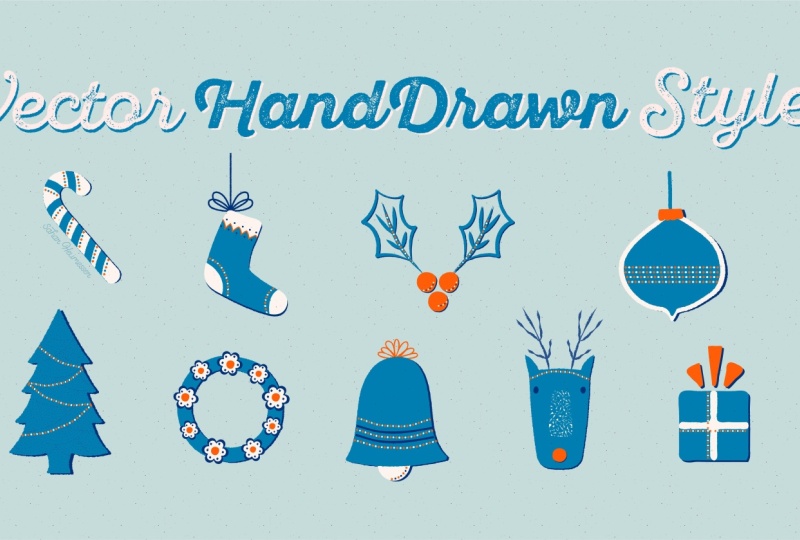
In this skillshare class, I’ll show you how to transform flat vector illustration into a more textured, hand-drawn style using Adobe Illustrator.
Vector illustration offers precision, scalability, and a highly efficient workflow. But it often comes with a visual downside: it can look flat, overly clean, and unmistakably digital.
In this class, we focus on how to move beyond that.
We’ll go through the best practical methods and techniques to reshape vector illustrations and introduce a more organic, natural feel—without just relying on overlays textures.
You’ll learn how to build that hand-drawn quality step by step, through shapes, strokes, color, and composition.
I’ll be demonstrating using a combination of the desktop and iPad versions of Adobe Illustrator, but the same principles apply to other vector software as well.

Who this class is for
This class is created for illustrators, pattern designers, hand-lettering artists, and hobbyists of all skill level who work with vector graphics.
If you feel that your vector drawing looks too “digital” and non-dimensional, this class will help you approach it differently and develop a more organic visual style.
You will Learn:
- how to reduce the rigid, uniform look of vector shapes
- techniques for introducing asymmetry and uneven spacing and
- how to make the curves and edges look more natural and irregular
- ways to vary stroke thickness and use brush-based textures
- using distortion tools in a controlled and intentional way
- The role of expanded color palette and decorative details
- using patterns and built-in effects as subtle texture
- combining different techniques
- bringing all prats of the illustration into one cohesive unit.

Adobe Illustrator is a vector-based design software used for creating illustrations, icons, logos, and scalable graphics.
One of the biggest advantages of working with vectors is that your artwork remains fully editable and scalable at any stage.
When it comes to vector graphics, Illustrator is the industry standard. It offers a level of control, precision, and flexibility that is very hard to match.
You can easily adjust shapes, colors, and compositions, create variations, and reuse elements across different projects—all without losing quality.
This makes Illustrator not only powerful, but also very efficient once you get comfortable with it. It’s one of those tools that becomes essential very quickly.
If you don’t have Adobe Illustrator, no problem. You can sign up for a free trial through Adobe’s website in just a few minutes.
If you don’t have Illustrator, no problem. You can sign up for a free trial online in just a few minutes:
https://www.adobe.com/products/illustrator/free-trial-download.html

I'm Sahar, a creative dreamer and a graphic designer based in Vienna, Austria.
I’m obsessed with learning; I do love to sharpen my skills and learn new ones as a daily base routine and I'm so passionate to be a part of YOUR creative path by sharing what I've learned along the way.


To celebrate the launch of the class, I’m going to GIVEAWAY one year of skillshare membership! (everyone can participate )
TO ENTER THE GIVEAWAY all you need to do is to:
- Upload your class project on @skillshare AND
- Post it on Instagram and tag me @saharheumesser
If you don't have a skillshare account:
Use this link to get 30 days MEMBERSHIP of Skillshare for free
Trademark Attribution : "Adobe Illustrator is either registered trademarks or trademarks of Adobe in the United States and/or other countries.
Disclaim : Music used in this class is Carefree by Kevin MacLeod
Link: incompetech.filmmusic.io/song/3476-carefree
License: creativecommons.org/licenses/by/4.0/


Please note that this class is provided for personal educational, informational and convenience purposes only, is general in nature and is not intended as a substitute for professional, legal, or medical advice. Read more about this in our Terms of Service.